How to Build an Intelligent Dashboard with Generative Widgets: A Practical Guide for Knowledge Workers
Learn how to transform scattered information streams into a dynamic AI-powered dashboard using Aetos.AI's generative widgets. This step-by-step guide shows knowledge workers how to create personalized intelligence centers that adapt to their workflow.
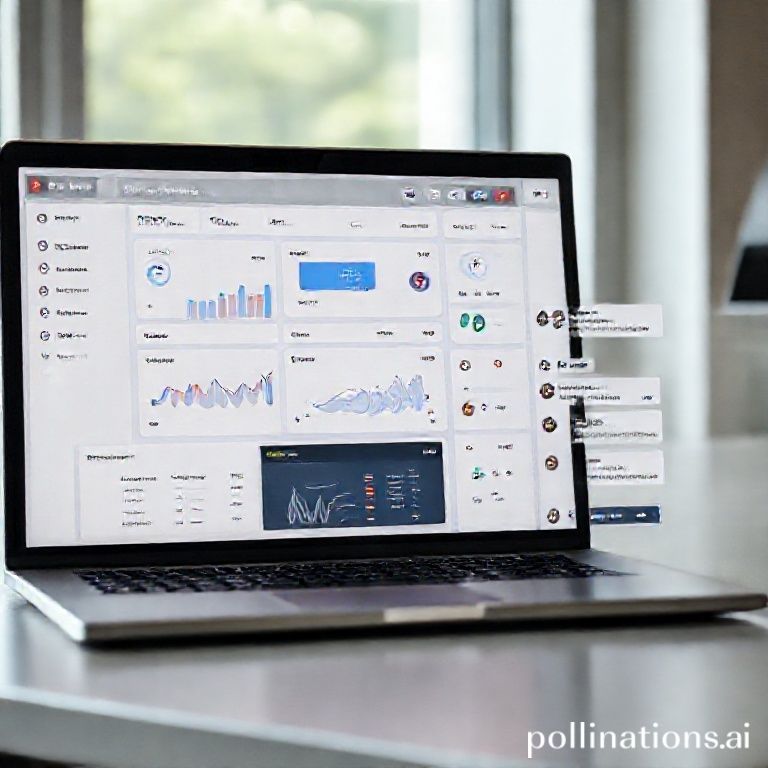
From Information Overload to Intelligent Control
Remember the last time you tried to piece together insights from a dozen different sources? You had RSS feeds piling up in your reader, newsletters clogging your inbox, podcast episodes waiting for that mythical "free hour," and community discussions scattered across platforms. By the time you synthesized what mattered, the moment had passed—or worse, you missed something crucial entirely.
This isn't just a productivity problem; it's a cognitive tax that knowledge workers pay daily. But what if your information could come to you already organized, summarized, and ready for action? What if your dashboard wasn't just a static display of data, but a living intelligence center that learns what you care about and surfaces it proactively?
That's exactly what we've built with Aetos.AI—a personal intelligence center that turns scattered information streams into an organized workspace where insights, summaries, and widgets live side by side. In this guide, I'll walk you through creating an intelligent dashboard with generative widgets that doesn't just display information, but anticipates your needs and adapts to your workflow.
Why Traditional Dashboards Fail Knowledge Workers
Most dashboards are built on a fundamental misunderstanding: they assume your information needs are static. You set up widgets once, maybe tweak them quarterly, and otherwise accept that 80% of what you're seeing isn't relevant to what you're working on right now.
Research from the University of California, Irvine shows that it takes an average of 23 minutes to regain focus after an interruption. When your dashboard requires constant manual updating and filtering, it becomes part of the problem rather than the solution. You're not just consuming information—you're managing the tool that's supposed to help you consume information.
Traditional dashboards also suffer from what I call "the silo effect." Your RSS reader shows articles, your email client shows newsletters, your podcast app shows episodes, and your community platforms show discussions—but none of these talk to each other. You become the integration layer, mentally stitching together insights that should be connecting automatically.
Aetos.AI solves this by blending AI assistance with curated content and customizable dashboards. Instead of managing multiple tools, you have one unified workspace where everything converges. The magic happens through our chat-to-widget workflow—conversations that become persistent, live widgets, unique compared to typical AI chats that end when the tab closes.
Your First Intelligent Dashboard: A 4-Step Framework
Step 1: Start with Conversation, Not Configuration
Most dashboard tools make you start with the empty grid—that intimidating blank canvas where you need to know exactly what you want before you begin. We flip this approach entirely.
Begin at the Aetos.AI home page and simply chat with our AI assistant about what you're tracking. For example:
- "What are the top three trends in sustainable technology this week?"
- "Summarize the key discussions from my favorite AI research newsletters."
- "Track mentions of our product across industry podcasts and community forums."
The assistant answers in real-time, synthesizing information from your connected sources. But here's where it gets interesting: every conversation can produce reusable widgets containing live information, charts, or custom views. That question about sustainable technology trends? It can become a widget that updates daily with the latest developments.
This conversational approach means you're building your dashboard through natural interaction rather than technical configuration. You're telling the system what matters in plain language, and it's translating that into intelligent displays.
Step 2: Generate Widgets That Work for You
After your conversation, you'll see the option to "Create Widget" from particularly valuable exchanges. This is where static information becomes dynamic intelligence.
Let's say you asked about competitor mentions across your industry feeds. The assistant provides a summary, and you generate a widget from it. Now you have a live tracker that:
- Updates automatically as new mentions appear
- Categorizes them by sentiment and topic
- Highlights emerging patterns you might have missed
These aren't just pretty displays—they're functional tools. Click into any widget to drill down, ask follow-up questions, or adjust parameters. The widget remembers the context of your original conversation but continues learning from new data.
Our interactive dashboard supports drag-and-drop layout, quick deletion, and dynamic resizing. Want to prioritize that competitor tracker during product launch season? Drag it to the top left corner where you'll see it first every morning. Need to temporarily minimize a widget during focused work? Resize it to a small monitoring panel.
Step 3: Curate Your Intelligence Control Center
With several widgets created, you now enter the curation phase. This isn't a one-time setup—it's an ongoing relationship with your information.
Arrange widgets based on:
- Frequency of need: Daily check items go front and center, weekly reviews go in secondary positions
- Workflow stages: Research widgets during planning phases, tracking widgets during execution, analysis widgets during review
- Cognitive load: Balance data-dense widgets with summary views to prevent overwhelm
The empty-state guidance in your dashboard will nudge you back to chat when you need new widgets, creating a smooth loop between asking and monitoring. This feedback loop is crucial—it means your dashboard evolves as your priorities change.
Don't forget to explore the Discover page for fresh stories and trending themes. This personalized news experience highlights featured stories, recommended posts, trending tags, and recent updates. It's perfect for those daily check-ins where you want to explore beyond your saved widgets.
Step 4: Establish Maintenance Rhythms
Intelligent doesn't mean maintenance-free—it means maintenance-smart. Set aside 15 minutes weekly to:
- Review widget relevance (archive what's no longer needed)
- Check trending tags on the Discover page for emerging topics
- Ask the assistant for dashboard optimization suggestions
Our RSS synchronization runs in the background, keeping your Discover feed and dashboard widgets fresh without manual upkeep. But the human touch matters too. That weekly review is where you apply judgment about what still serves your goals.
Advanced Techniques for Power Users
Creating Widget Ecosystems
Advanced users don't just create individual widgets—they build ecosystems where widgets work together. For example:
- Create a "Industry Trends" widget from your initial conversation
- Generate a "Competitor Moves" widget that monitors specific companies
- Build a "Our Opportunities" widget that cross-references the first two
These connected widgets create a narrative across your dashboard. When industry trends shift, you'll immediately see potential impacts on competitors and corresponding opportunities for your work.
Leveraging the AI Assistant for Dashboard Management
The assistant isn't just for creating widgets—it can help manage them too. Try prompts like:
- "Which of my widgets haven't I interacted with this week?"
- "Based on my upcoming projects, what new widgets should I create?"
- "Are there any redundant widgets I could consolidate?"
This turns dashboard management from a chore into a conversation. You're not just organizing boxes on a grid—you're having a dialogue about what intelligence serves you best.
Integrating External Workflows
While Aetos.AI functions beautifully as a standalone intelligence center, it also complements other tools. Use insights from your dashboard to:
- Inform weekly planning in your project management software
- Seed discussions in team collaboration platforms
- Provide data for executive briefings and reports
The key is treating your dashboard as the source of synthesized intelligence, not another silo. Export summaries, share widget views with colleagues, or use the chat assistant to draft communications based on what you're tracking.
Common Pitfalls and How to Avoid Them
Widget Overload
The most common mistake I see is creating too many widgets too quickly. Remember: each widget should serve a specific decision or action. If you can't articulate what you'll do with the information a widget provides, it's probably clutter.
Start with 3-5 core widgets and expand gradually. Quality beats quantity every time when it comes to intelligent dashboards.
Set-and-Forget Syndrome
Intelligent dashboards require occasional tuning. A widget that was crucial during product launch might be less relevant during maintenance phases. Schedule those weekly reviews mentioned earlier—they prevent your dashboard from becoming another stagnant tool.
Ignoring the Discover Page
Many users create widgets from their existing knowledge gaps but miss the opportunity for serendipitous discovery. The Discover page's trending tags and recent update panels help you benchmark what's gaining momentum in your field. Make it part of your daily routine, even if just for five minutes.
The Future of Intelligent Dashboards
What we're building with Aetos.AI represents a fundamental shift in how knowledge workers interact with information. We're moving from:
- Passive consumption → Active intelligence
- Static displays → Dynamic conversations
- Manual management → Proactive assistance
As noted in Harvard Business Review's research on knowledge work productivity, the most effective professionals don't just process information faster—they process it smarter. They create systems that surface what matters before they know to ask for it.
That's the ultimate goal of an intelligent dashboard with generative widgets: it doesn't just show you what you asked to see—it shows you what you need to see.
Ready to Transform Your Information Workflow?
The difference between an ordinary dashboard and an intelligent one isn't just technical—it's experiential. Instead of starting your day managing information streams, you start with insights already synthesized. Instead of wondering what you're missing, you have confidence that what matters is surfacing automatically.
Your first intelligent dashboard is just a conversation away. Start by chatting with Aetos.AI about what keeps you up at night professionally—those information gaps that slow your decisions or create uncertainty. From that conversation, you'll generate your first widget. Then your second. Before long, you'll have a living intelligence center that works alongside you, not just for you.
Take the first step today: Sign up for Aetos.AI and experience how generative widgets can transform your relationship with information. Because in the age of information overload, the real advantage isn't accessing more data—it's accessing the right intelligence at the right moment.
Want to dive deeper into making the most of Aetos.AI? Explore our guide to mastering the conversational intelligence hub or learn how to leverage the Discover page for continuous learning. For teams looking to scale their intelligence workflow, check out our collaborative dashboard features.