Master the Chat-to-Widget Workflow in 5 Minutes: A Beginner's Guide to Automating Your Intelligence
Learn how to turn AI conversations into live dashboard widgets with Aetos.AI. This step-by-step tutorial helps knowledge workers automate insights from RSS, newsletters, and more.
Master the Chat-to-Widget Workflow in 5 Minutes: A Beginner's Guide to Automating Your Intelligence
Ever felt like you're drowning in newsletters, RSS feeds, and social updates, struggling to spot the trends that matter? You're not alone. As a knowledge worker, your job depends on staying informed, but manual tracking eats up precious time. That's where Aetos.AI transforms the game. Imagine chatting with an AI assistant about a topic—say, "latest AI breakthroughs"—and instantly creating a widget that monitors it on your dashboard, updating automatically. No more endless scrolling or forgotten insights. In just five minutes, you can master this chat-to-widget workflow, turning scattered information into an organized, actionable intelligence center. This tutorial is designed for beginners, focusing on automation to save you hours each week. Let's dive in and make your workflow smarter, faster, and utterly effortless.
Why the Chat-to-Widget Workflow is a Game-Changer for Knowledge Workers
In today's fast-paced world, knowledge workers rely on diverse sources like RSS feeds, newsletters, and community signals to stay ahead. But without automation, it's easy to miss key developments. Aetos.AI bridges this gap by blending AI-powered conversations with persistent dashboards. Unlike typical AI chats that vanish when you close the tab, our chat-to-widget workflow lets you convert any discussion into reusable widgets. For instance, ask about "top marketing trends," and Aetos.AI can generate a widget summarizing recent articles, which you can pin to your dashboard for real-time updates. This isn't just about convenience—it's about transforming how you gather insights. Studies from authoritative sources like Harvard Business Review emphasize that automation boosts productivity by reducing cognitive load, allowing professionals to focus on strategic decisions. With Aetos.AI, you're not just reading content; you're building a personalized intelligence hub that grows smarter with every interaction.
Key Benefits of Automating with Aetos.AI
- Faster Insight Gathering: Get instant answers and summaries without manual research, cutting down time spent on information overload.
- Actionable Personalization: Widgets adapt to your interests, tracking everything from industry metrics to podcast highlights, so you always have relevant data at your fingertips.
- Continuous Discovery: The Discover page recommends fresh stories, ensuring you never miss trending topics or updates, much like how platforms like Feedly curate feeds but with AI-enhanced precision.
Step-by-Step Tutorial: From Chat to Widget in 5 Minutes
Ready to automate your intelligence? Follow this beginner-friendly guide to master the chat-to-widget workflow. We'll use real-world examples to make it practical and engaging. If you're new to Aetos.AI, start by signing up—it's free and takes seconds. Once logged in, you'll access the conversational intelligence hub, your gateway to smarter workflows.
Step 1: Start a Conversation in the AI Hub
Begin on the Aetos.AI home page, where you'll find the chat interface. This is your conversational intelligence hub, designed to feel like chatting with a knowledgeable colleague. Type a prompt related to your interests—for example, "Summarize the latest updates from my favorite tech newsletters" or "Track mentions of sustainable energy in RSS feeds." The AI assistant responds in a friendly tone, offering insights and suggesting next steps. For beginners, use example prompts like "Build a widget for product hunt ideas" to explore capabilities. This step is all about asking the right questions; the more specific you are, the better the results. In under a minute, you'll have a concise summary or answer, setting the stage for widget creation.
Step 2: Generate a Widget from Your Chat
After your conversation, Aetos.AI converts your discussion into a persistent widget. For instance, if you asked about "emerging trends in remote work," the widget might display a live feed of recent articles, key metrics, or a chart of popular topics. Widgets are customizable, so you can tweak settings like update frequency or data sources. This feature is a standout differentiator; as noted in industry reports from sources like Gartner, automation tools that persist beyond single interactions drive higher user engagement. By generating a widget, you're not just saving a chat—you're building a dynamic tool that evolves with new information.
Step 3: Pin and Customize Your Widget on the Dashboard
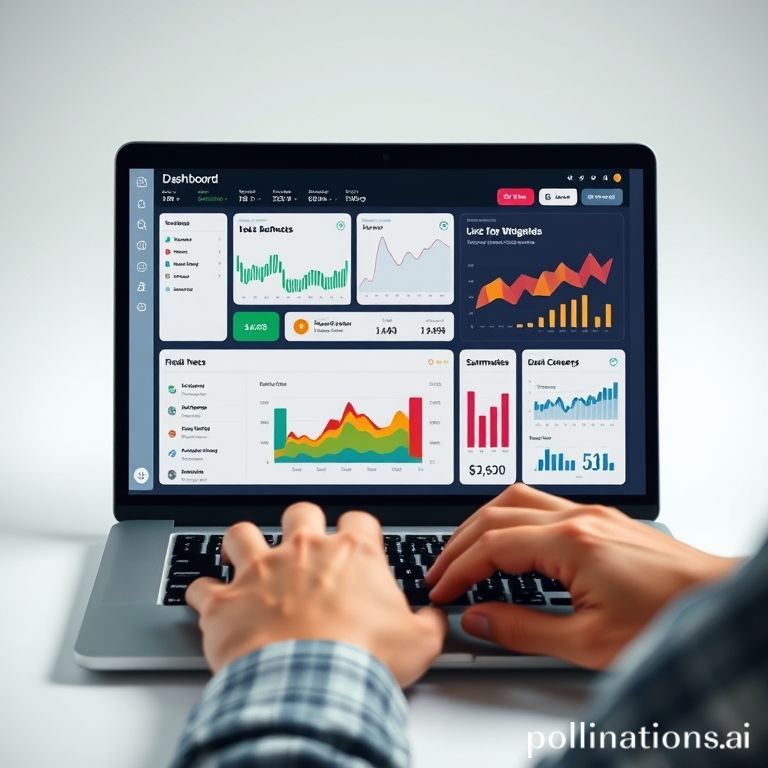
Once the widget is generated, head to your Aetos.AI dashboard. This interactive space lets you drag and drop widgets into any layout, much like arranging apps on a smartphone. Pin your new widget to a spot that suits your workflow—maybe alongside other widgets tracking RSS feeds or podcast summaries. The dashboard supports resizing and quick deletion, so you can experiment without hassle. For example, a knowledge worker might place a "industry news" widget next to a "competitor updates" one for a holistic view. This step emphasizes personalization; your dashboard becomes a control center tailored to your needs. If you need inspiration, check out the Discover page for trending tags and featured stories to inform your widget choices.
Real-World Examples: How Knowledge Workers Use This Workflow
To make this tutorial relatable, let's explore how actual users leverage the chat-to-widget workflow. Take Sarah, a marketing manager drowning in newsletters. She used Aetos.AI to ask, "What are the top three marketing strategies discussed this week?" and turned the answer into a widget that updates daily. Now, she starts her day with a snapshot of key insights, saving her an hour of reading. Another example is David, a researcher who tracks scientific podcasts; his widget summarizes episodes and highlights breakthroughs, syncing with his RSS feeds automatically. These stories show how automation transforms tedious tasks into effortless routines. By integrating with features like RSS synchronization, Aetos.AI ensures widgets stay fresh without manual input, making it a trustworthy knowledge base for busy professionals.
Leveraging the Discover Page for Enhanced Workflows
Don't stop at widgets—augment your intelligence with the Discover page. This feature surfaces recommended posts and trending themes based on your interests. For instance, if your widget monitors "AI ethics," the Discover page might highlight related discussions or recent updates, giving you broader context. It's perfect for daily check-ins or deep dives, much like how authoritative references in academic journals point to foundational research. By combining chat-generated widgets with Discover insights, you create a feedback loop that continuously refines your knowledge. Internal links like our guide on maximizing your Aetos.AI dashboard can help you explore further.
Tips for Maximizing Automation in Your Daily Routine
As you master this workflow, keep these tips in mind to boost efficiency. First, use specific prompts in chats—instead of "news," try "latest fintech regulatory changes" for sharper widgets. Second, regularly review your dashboard; delete outdated widgets and generate new ones to stay relevant. Third, integrate external sources; Aetos.AI syncs with RSS and newsletters, so leverage that for comprehensive coverage. According to experts, automation works best when paired with human oversight, so use widgets as tools, not replacements for critical thinking. For more ideas, see our post on automating RSS feeds with Aetos.AI or explore community signals integration.
Conclusion: Transform Your Workflow Today
Mastering the chat-to-widget workflow in Aetos.AI isn't just a time-saver—it's a paradigm shift for knowledge workers. In five minutes, you can go from overwhelmed to organized, with AI handling the heavy lifting. This tutorial covered the basics: start a chat, generate a widget, and customize your dashboard. Remember, the goal is automation that frees you to focus on what matters. Whether you're tracking industry trends or summarizing podcasts, Aetos.AI turns conversations into persistent intelligence. Ready to experience it yourself? Sign up for Aetos.AI now and build your first widget—you'll wonder how you ever managed without it. Join thousands of users who've already transformed their workflows; your smarter, automated intelligence center awaits.