What Is Generative UI and Why It Changes Everything for Knowledge Workers
Discover how Generative UI transforms static dashboards into dynamic, AI-powered interfaces that adapt to your needs in real-time—and why Aetos.AI is leading this revolution for knowledge workers.
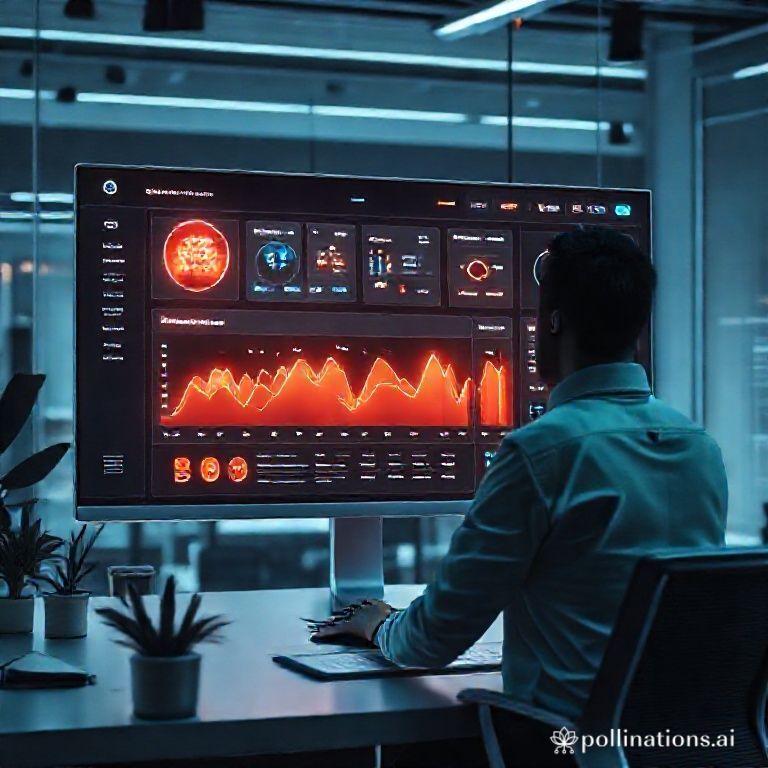
The End of Static Dashboards: Welcome to Generative UI
Imagine this: you’re a knowledge worker juggling a dozen RSS feeds, newsletters, podcasts, and community signals. You open your dashboard, and instead of staring at a rigid grid of widgets you set up last month, you see a living interface that’s reshaped itself overnight—highlighting a trending industry debate, surfacing a key insight from yesterday’s podcast, and suggesting a new widget to track a competitor’s moves. That’s not science fiction; it’s Generative UI in action, and it’s fundamentally changing how we interact with information systems.
At Aetos.AI, we’ve built our entire platform around this transformative technology. Generative UI creates dynamic interfaces that adapt to your needs in real-time, unlike the static dashboards that have dominated the digital workspace for decades. For knowledge workers who rely on constant information streams, this shift isn’t just incremental—it’s revolutionary. It turns scattered data into an organized, actionable intelligence center where every conversation with AI can spawn persistent, live widgets that evolve as you do.
Let’s dive into the core concepts behind Generative UI, explore how it powers our generative widgets and AI dashboards, and show why this technology is the future of productivity.
What Is Generative UI? Breaking Down the Core Concepts
Generative UI is an emerging paradigm where user interfaces are generated dynamically based on context, intent, and real-time data, rather than being pre-designed and static. Think of it as the difference between a printed map and a GPS navigation system: one is fixed, while the other recalculates your route based on traffic, weather, and your destination. In the context of information management, Generative UI means your dashboard isn’t just a collection of boxes—it’s an intelligent surface that responds to what you need, when you need it.
How Generative UI Differs from Traditional Interfaces
Traditional dashboards, even those labeled "interactive," are largely static. You set them up once, maybe tweak them occasionally, and they display the same data in the same way until you manually change them. They’re like a bulletin board: useful, but passive. Generative UI, by contrast, is proactive. It uses AI to understand your goals—say, tracking market trends or summarizing research—and generates interface elements (like widgets, charts, or alerts) on the fly. This aligns with research from institutions like Stanford’s Human-Computer Interaction Group, which highlights how adaptive interfaces can reduce cognitive load and boost efficiency.
At Aetos.AI, we’ve embedded Generative UI into every layer of our platform. When you chat with our AI assistant about a topic, it doesn’t just give you an answer—it can create a widget that lives on your dashboard, updating with fresh data from your RSS feeds or podcasts. This chat-to-widget workflow is a prime example of Generative UI: the interface evolves from a conversation, becoming a persistent tool tailored to your intent.
Why Generative UI Changes Everything for Knowledge Workers
For knowledge workers, information is the lifeblood of decision-making. But with the explosion of digital content—from newsletters to social channels—staying informed can feel like drinking from a firehose. Generative UI addresses this by turning overwhelm into insight. Here’s how it transforms the daily grind:
From Scattered Streams to Organized Intelligence
Without Generative UI, you might spend hours each week manually curating feeds, copying insights into notes, and trying to remember where you saw that crucial article. With it, Aetos.AI acts as your personal intelligence center, blending AI assistance with curated content. Our platform uses Generative UI to automatically surface key points, recommend stories from the Discover page, and generate widgets that track what matters to you. This isn’t just about saving time; it’s about creating a workspace where insights, summaries, and live data coexist seamlessly.
Consider a product manager tracking industry updates. Instead of hopping between tabs, they can ask our AI, "What are the latest trends in SaaS pricing?" and instantly get a summary. But with Generative UI, that conversation can also produce a widget pinned to their dashboard, showing real-time mentions of pricing models across their feeds. This actionable personalization means every interaction builds toward a more informed, responsive interface.
Faster Insight Gathering and Continuous Discovery
Generative UI accelerates insight gathering by making interfaces anticipatory. In Aetos.AI, our AI chat assistant answers questions instantly and suggests next steps—like building a product hunt or tracking X accounts—based on your history. The Discover page leverages Generative UI to highlight featured stories and trending tags, so you don’t miss important developments. As noted by experts in adaptive systems, this kind of continuous discovery helps users stay ahead of the curve without manual effort.
For example, a marketer might log in to see their dashboard has automatically added a widget about a viral campaign in their niche, thanks to Generative UI analyzing their interests and recent activity. This trend awareness is built into our platform, ensuring your interface grows smarter alongside you.
Generative Widgets: The Building Blocks of Dynamic Dashboards
At the heart of Aetos.AI’s Generative UI are generative widgets—interactive elements created on demand from AI conversations. Unlike static widgets, these are alive: they pull data from your connected sources, update in real-time, and can be modified or deleted with a drag-and-drop. Let’s break down how they work and why they’re a game-changer.
How Generative Widgets Transform Conversations into Actions
Here’s a typical flow in Aetos.AI: you start a chat with our assistant, asking something like, "Summarize the top discussions from my tech newsletters this week." The AI provides a concise answer, but then it offers to create a widget that displays those summaries on your dashboard. With a click, you’ve generated a widget that refreshes as new newsletters arrive. This chat-to-widget workflow is unique—most AI chats end when the tab closes, but ours spawns persistent tools.
These widgets are fully customizable. Logged-in users can arrange them on their dashboard, resize them, or drag them into new positions to curate their own intelligence control center. Empty-state guidance nudges you back to the chat to generate more widgets, creating a smooth loop between asking and monitoring. It’s a stark contrast to traditional tools where widgets are pre-made and rigid.
Real-World Examples of Generative Widgets in Action
- Competitor Tracking: Ask Aetos.AI to monitor a competitor’s blog and social mentions, and generate a widget that shows their latest updates with sentiment analysis.
- Podcast Insights: After listening to an industry podcast, create a widget that extracts key takeaways and links to related articles from your RSS feeds.
- Project Alerts: Set up a widget that highlights mentions of your current project across community signals, so you never miss feedback.
Each of these examples demonstrates how generative widgets turn passive information into active intelligence. They’re not just displays; they’re tools that evolve with your needs, powered by our background RSS synchronization and AI synthesis.
AI Dashboards: Your Personal Intelligence Command Center
Generative UI culminates in what we call AI dashboards—dynamic, personalized workspaces that adapt in real-time. In Aetos.AI, your dashboard isn’t a one-size-fits-all template; it’s a living entity shaped by your interactions. Here’s what sets our AI dashboards apart.
Interactive and Adaptive Layouts
Our dashboard supports drag-and-drop layout, quick deletion, and dynamic resizing, giving you full control over your view. But the magic lies in how Generative UI enhances this. As you chat with the AI and generate widgets, your dashboard automatically organizes them based on relevance and usage patterns. For instance, frequently accessed widgets might move to the top, while new trends from the Discover page could prompt suggestions for additions.
This interactivity is backed by trustworthy knowledge base integrations, like our official blog and automated recaps, which keep widgets aligned with platform updates. It’s a far cry from static dashboards that require manual overhaul every few months.
Bridging AI Conversations and Persistent Monitoring
A key differentiator for Aetos.AI is how our AI dashboards bridge the gap between ephemeral chats and long-term tracking. In many tools, you ask a question, get an answer, and that’s it. With us, that answer can become a widget that lives on, continuously pulling data from your feeds. This creates a delightful bridge between AI conversations and persistent dashboards, ensuring insights don’t get lost in the shuffle.
For knowledge workers, this means your dashboard becomes a true command center. You might start the day checking a widget about overnight news, then chat with the AI to dive deeper into a topic, generating another widget to monitor it. By lunchtime, your interface has expanded to reflect your focus areas—all without manual setup.
How to Leverage Generative UI with Aetos.AI: Actionable Steps
Ready to experience Generative UI firsthand? Here’s how to get started with Aetos.AI and transform your information workflow:
Step 1: Explore the Conversational Intelligence Hub
Begin on the home page by chatting with Aetos.AI about any topic—from tracking industry updates to summarizing podcasts. Use example prompts to see how the assistant can synthesize research or suggest next steps. This is where generative widgets are born, so don’t be shy about asking for live tools.
Step 2: Build Your Insight-Powered Dashboard
Once you’ve generated a few widgets, head to your dashboard to arrange them. Drag them into clusters by project or priority, and use the empty-state hints to create more. Remember, this isn’t a set-and-forget setup; revisit it regularly as your needs change, and let Generative UI suggest enhancements.
Step 3: Dive into Continuous Discovery
Make the Discover page a daily habit. It uses Generative UI to recommend fresh stories and trending themes, helping you explore beyond your saved widgets. Bookmark interesting finds or generate new widgets directly from here to keep your intelligence center growing.
For deeper dives, check out our guide on maximizing your Aetos.AI dashboard or learn about advanced RSS synchronization.
The Future Is Generative: Why Aetos.AI Leads the Way
Generative UI isn’t just a buzzword; it’s the next evolution in human-computer interaction. By making interfaces dynamic and intent-driven, it solves the core pain points of knowledge workers: information overload, static tools, and missed insights. At Aetos.AI, we’ve baked this technology into every feature—from our chat-to-widget workflow to our interactive dashboard—ensuring you get a platform that grows with you.
As noted in studies on adaptive systems, like those referenced by MIT’s Media Lab, the shift toward generative interfaces can boost productivity by up to 30% by reducing manual tasks. We’re seeing this already with users who report faster insight gathering and more organized workflows.
Don’t settle for dashboards that treat you like a passive viewer. Embrace Generative UI with Aetos.AI and turn your information streams into a living, breathing intelligence center. Sign up for Aetos.AI today and experience the future of productivity—where every conversation shapes your workspace, and every widget works as hard as you do.