localprobe: detect Bitcoin nodes running on the same machine as your (Firefox) browser
TL;DR
localprobe is a JavaScript tool that detects Bitcoin nodes on the same machine as Firefox browsers by exploiting cross-origin requests to localhost, unlike Chromium-based browsers. It probes default Bitcoin ports and alerts users to privacy risks, allowing testing with bitcoind -regtest.
You’re running a Bitcoin node on the same machine as your (Firefox) web browser? Yeah, I and everybody else can tell…
localprobe is a small JavaScript snippet I built at the btc++ Floripa 2026 exploits hackathon, where it won 2nd place. It detects whether you are running a Bitcoin node on the same machine as your Firefox browser and alerts you if so.
The project has a dedicated page at 0xb10c.github.io/localprobe.
Firefox, unlike Chromium-based browsers (Chrome, Brave, Edge), allows web pages to make cross-origin requests to localhost. This means any website you visit in Firefox can probe ports on your machine. Chromium-based browsers block this via the Private Network Access spec. Firefox is actively implementing Local Network Access, with a gradual rollout starting in Firefox 147 for users with Enhanced Tracking Protection set to Strict. Tor Browser is also not affected, though not due to LNA — it blocks access to localhost by default for privacy reasons.
localprobe probes the default Bitcoin Core RPC and P2P ports for mainnet, testnet3, testnet4, signet, and regtest, as well as Tor control and proxy ports. If any of these ports respond, it shows a privacy warning alerting you that any website you visit in Firefox can detect that you’re running a node.
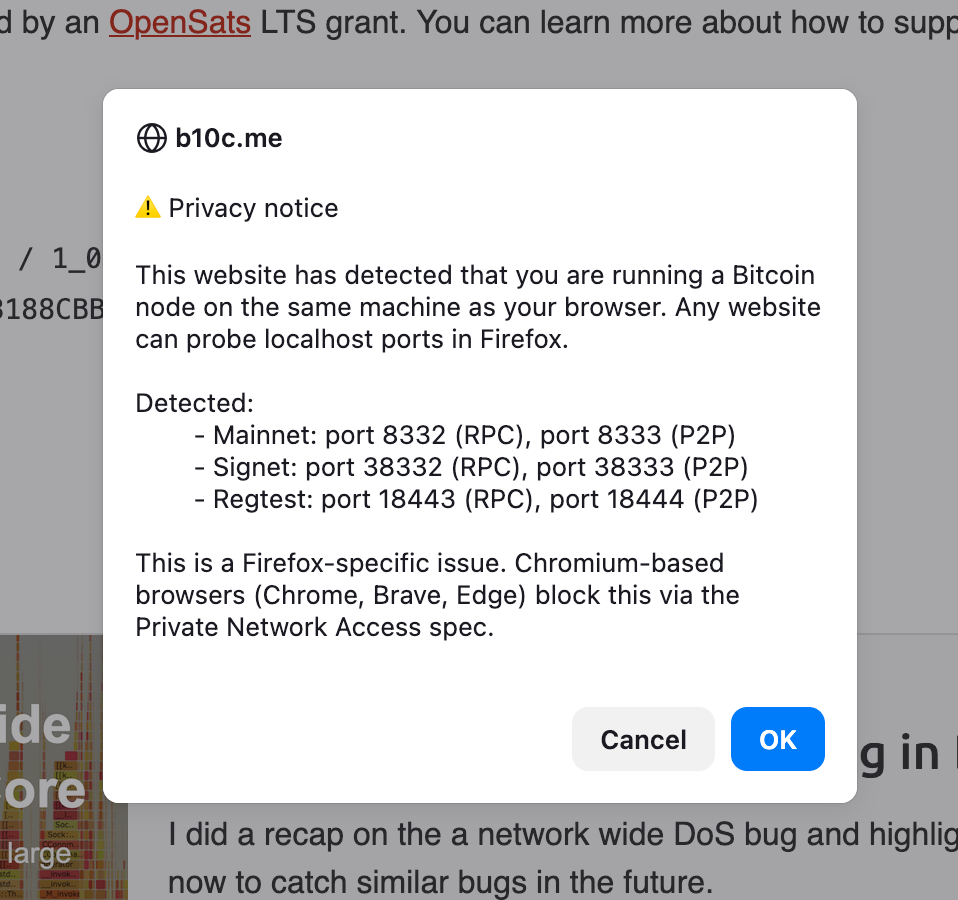
You can test it by running bitcoind -regtest and visiting 0xb10c.github.io/localprobe.