ChatGPT is now a partner for your most ambitious work
Introducing ChatGPT Work, an agent in ChatGPT that helps you take on more ambitious tasks. It can gather information across your apps and workflows to create finished materials like sheets, slides, docs, and web apps, and stay with complex projects for hours by breaking them into smaller steps and completing them independently.
With Codex technology built-in, ChatGPT can now move beyond answering questions to getting real work done across web, mobile, and desktop. More than 5 million people use Codex every week. Although it began as a coding agent for developers, more than 1 million people now use it for work outside software development, showing how its capabilities can support a wider range of tasks.
To better manage these tasks, ChatGPT Work is powered by our latest frontier model, GPT‑5.6, which is also rolling out today. GPT‑5.6 makes ChatGPT state of the art at reasoning through multi-step tasks and creating materials that follow your templates and reference files.
The best way to learn how to use ChatGPT Work is to give it a task you already know well: analyze a month-end budget variance, turn source materials into a marketing campaign brief, or prepare for a sales meeting. You can follow its progress, answer questions, change direction, and approve important actions.
You can even ask ChatGPT Work to take on entire workflows with a single request. For example, it can turn customer research into a campaign brief, use that brief to create marketing assets, and adapt those assets for different markets while carrying context through every step.
Even when you’re away from your computer or phone, ChatGPT Work can keep projects moving forward with Scheduled Tasks. For example, it can independently turn new messages from Microsoft Teams and Slack into updated docs or slides, then share important changes with your team.
In early testing, we’ve seen how ChatGPT Work expands what users can do:
Used ChatGPT Work to build a repeatable system for reviewing thousands of leads each month. It traced customer touchpoints across Zapier’s CRM, email, and other tools, found where follow-ups broke down, and generated a weekly executive dashboard that highlighted missed pipeline and revealed seven figures in potential sales.
Used ChatGPT Work to turn manual monthly launch checks into a repeatable workflow. It reviewed release plans, Jira tasks, and go-to-market schedules, flagged missing steps, blockers, and unclear ownership, and produced source-backed reports naming owners and next steps, allowing him to go from supporting one product manager to supporting roughly 50 product managers.
Used ChatGPT Work to compare the airline’s passenger experience with competitors as the airline developed its five-year plan. He gave ChatGPT a customer journey to evaluate and a list of competing airlines, then asked it to research what each airline offered, assess where Virgin led or lagged, and build a dataset his team could review and refine—reducing weeks of analysis to hours and helping the team decide where to invest over the next five years.
Used ChatGPT Work to automate preparation for GTC (NVIDIA’s global conference), replacing an Excel workflow that consumed about 40% of his pre-event time. ChatGPT tracked which customer accounts had registered, what meetings were planned, and how field sales teams were preparing; afterward, it synthesized hundreds of session transcripts and customer-meeting notes to assess whether GTC met its goals, allowing the team to spend its two-week review discussing the findings instead of assembling the data.
- Zapier
- RingCentral
- Virgin Atlantic
- NVIDIA
Nearly 100% of teams inside OpenAI, including finance and sales, now use ChatGPT Work and Codex to move faster, take on harder tasks, and spend more time with customers.
- In sales, ChatGPT Work turned a discovery conversation into a tailored proof of concept for a mission-critical problem within 24 hours—a process that normally takes weeks. ChatGPT structured the notes, routed the request to a solutions architect, and collaborated with the technical team, freeing the lead to focus on the customer and serve as a high-value consultative partner.
- In finance, ChatGPT Work reduced month-end close and forecasting from days to hours by helping teams find source data, move it into Excel or Sheets, reconcile it, create slides, and verify the results. This lets the finance team spend more time understanding what changed in the forecast, explaining why it changed, and advising leaders on what the company should do next.
On web and mobile, ChatGPT Work is rolling out today now for Pro, Enterprise, and Edu plans. It will roll out to Plus and Business plans over the next few days. In the ChatGPT desktop app, Chat, Work, and Codex are available on every plan, including Free, and is available globally to download on Windows and Mac.(opens in a new window)
Work anywhere. Go further on desktop.
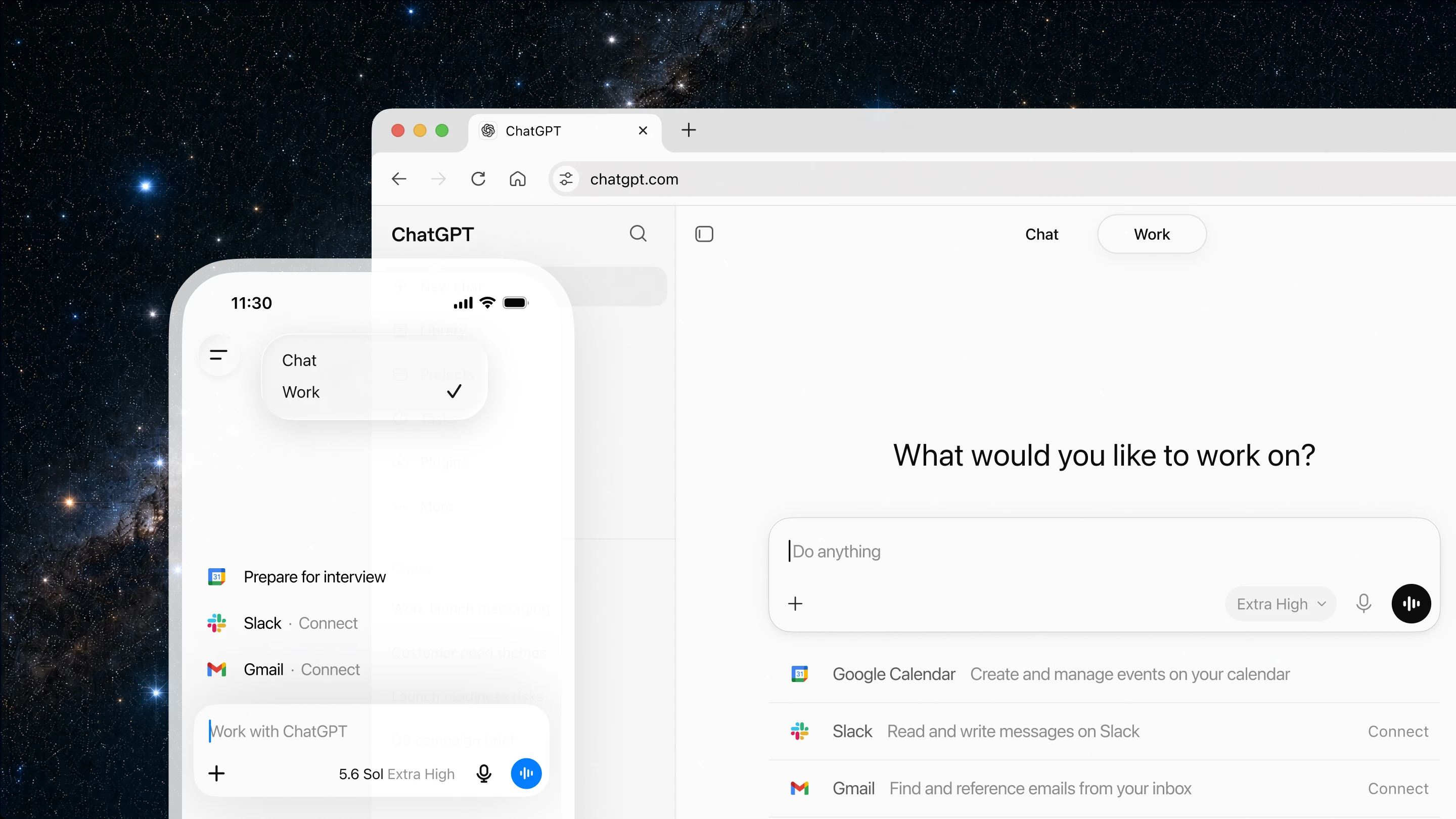
ChatGPT Work is designed to keep tasks moving forward wherever you are. You can ask it to start a task from your phone, review a draft on the go, or check the status of a longer-running workflow between meetings. When you return to your desk, you can pick up the same work on the web.
For an even more powerful experience, the ChatGPT desktop app now goes further. On desktop, ChatGPT can use your local files and apps to get work done. For web-based work, ChatGPT’s new built-in browser lets it bring in websites, tools, and online files, giving you one place to move work forward.
Starting today, the Codex app is merging with the new ChatGPT desktop app. Codex remains the same powerful coding agent for developers and technical professionals, now with new capabilities(opens in a new window) across core workflows, including inline editing within diffs, pull request review in the side panel, faster computer use (powered by GPT‑5.6), and support for multiple repositories in a single project.
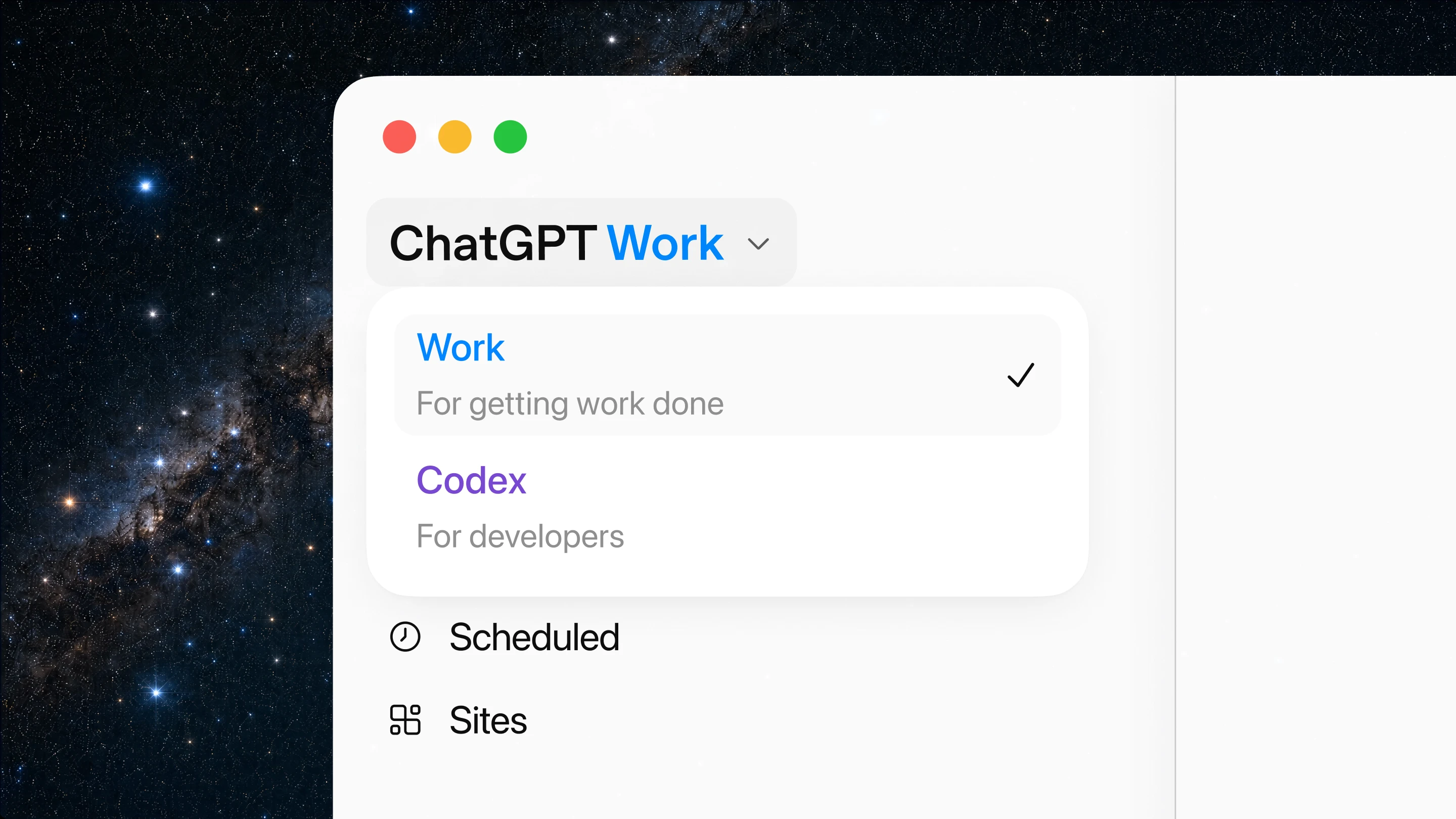
Create slides, sheets, docs, and Sites from your apps and workflows
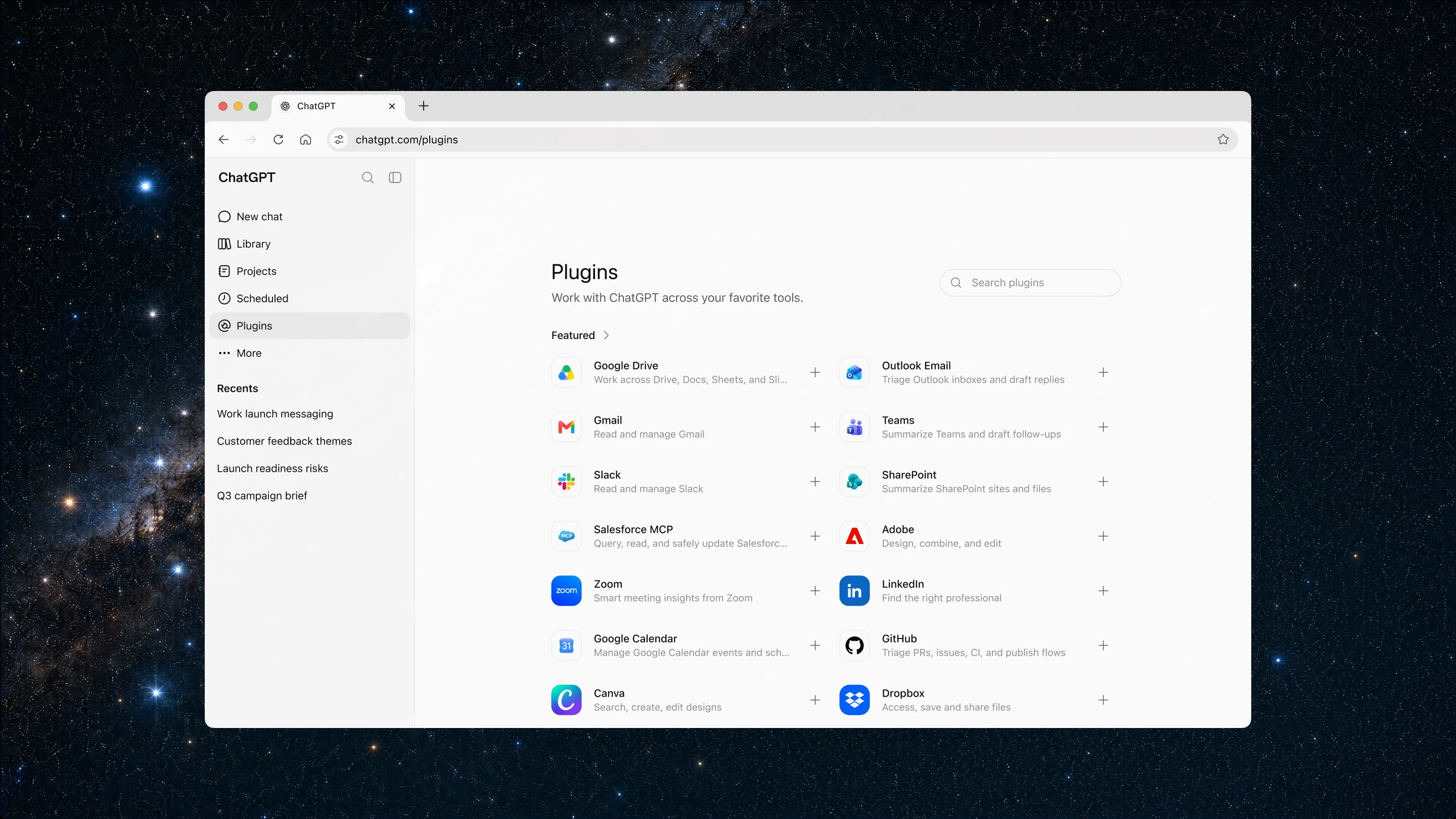
To get started with ChatGPT Work, connect the tools and context where your work already happens, using plugins.
Plugins connect ChatGPT to apps and systems like Slack and Microsoft Teams, Google Drive and SharePoint, email, calendars, CRMs, project trackers, and other internal tools. ChatGPT will automatically know when to reference a plugin based on your prompt, but you can also direct ChatGPT to pull context from a specific app by typing “@” followed by the app name in your prompt. The new unified plugins directory brings plugins into one place, and ChatGPT can suggest relevant ones during your conversations.
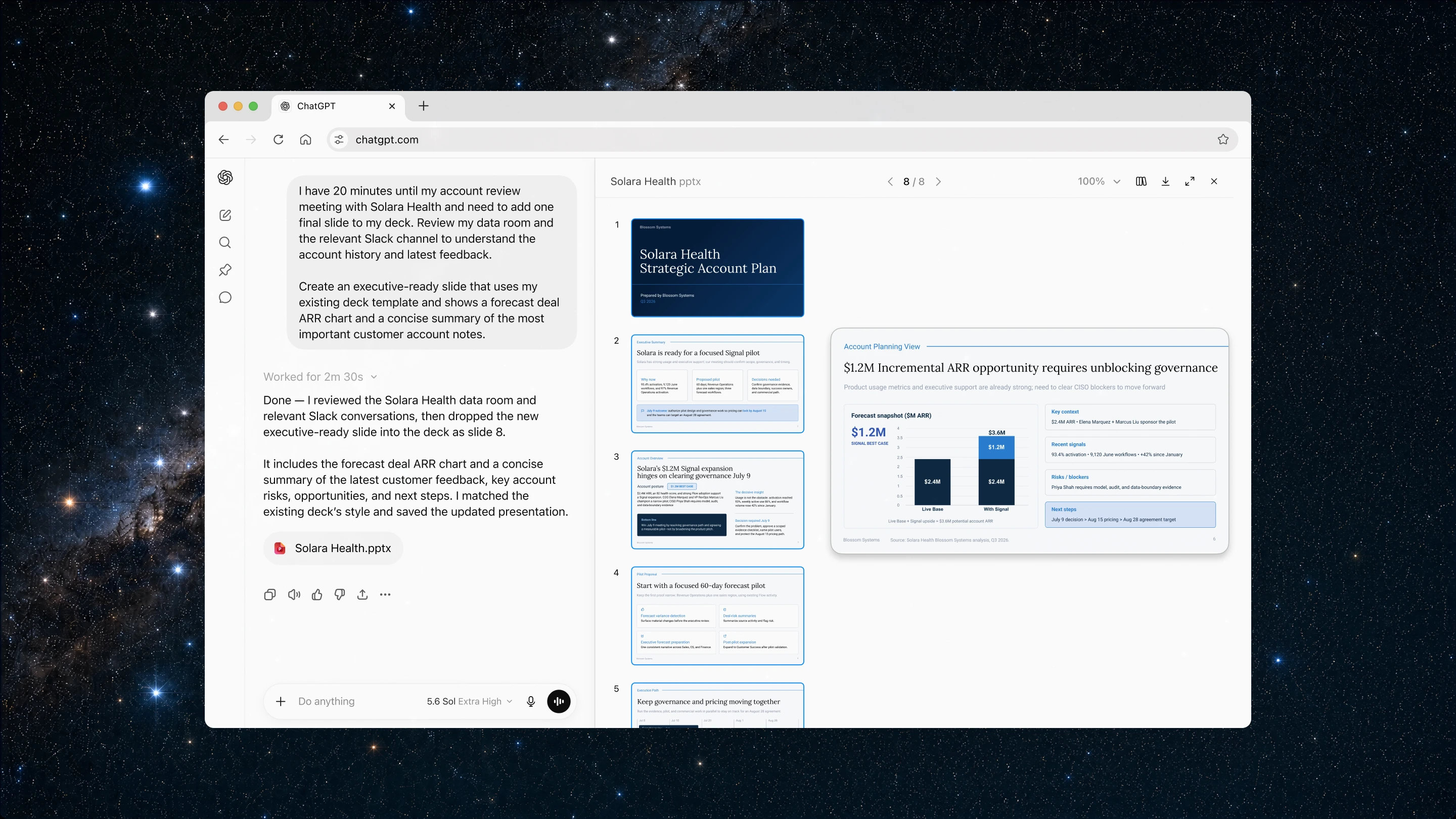
Once your apps and tools are connected, ChatGPT can understand what you’re trying to do, pull in information from relevant sources, create documents, decks, and analyses, and keep refining drafts in the background while you stay in control.
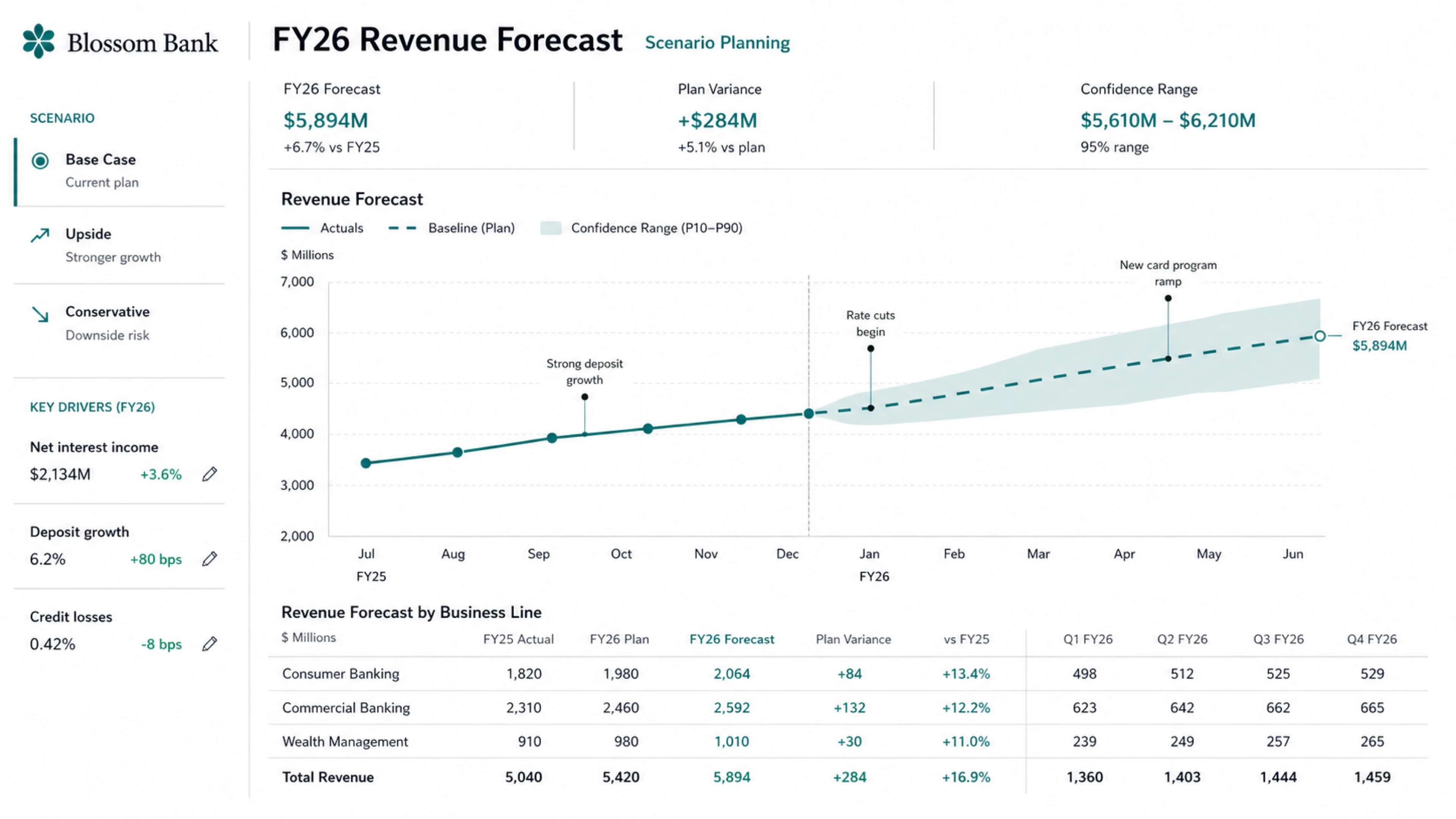
We’re also introducing Sites in ChatGPT in public beta. With Sites, you can turn your work or ideas into an interactive site or web app and share it with your team or publicly through a URL. Sites are useful when you want to create things like live dashboards, project trackers, launch calendars, prototypes, internal portals, and interactive reports. You can test the Sites you build right inside ChatGPT and bring fresh web context into your project, too. ChatGPT can also update them as the underlying information changes.